The virtual pager for cafés, restaurants and more
Goodbye, buzzers.
Bellou turns a QR code into a pager. Guests watch their order live, and their phone rings when it’s ready. No app to install, no buzzers to buy.
At the counter
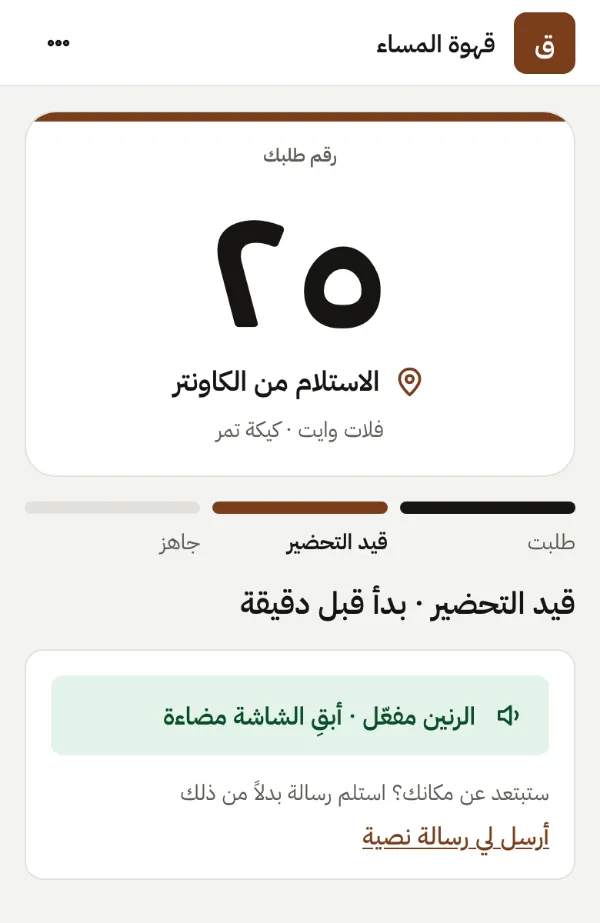
The cashier taps New order. A QR code appears. The guest scans it, sits down and stops watching the counter. When the coffee is ready, their phone rings. Nobody shouts a number across the room.
بلا تطبيق، وبلا أجهزة نداء. بالعربية والإنجليزية.
How it works
From the till to the pickup, in four steps.
No app to install and no buzzers to hand out. This is what happens to every order.
Cashier
Type the order number
Tap “New order” or type the number from your till. One second, and the guest’s page is live.
Guest
Scan the QR code
The guest points their camera at the receipt or the counter card. Their order opens in the browser.
Kitchen
Follow it as it’s made
While the kitchen prepares it, the page shows live progress, so nobody crowds the counter.
Pickup
Ready: their phone rings
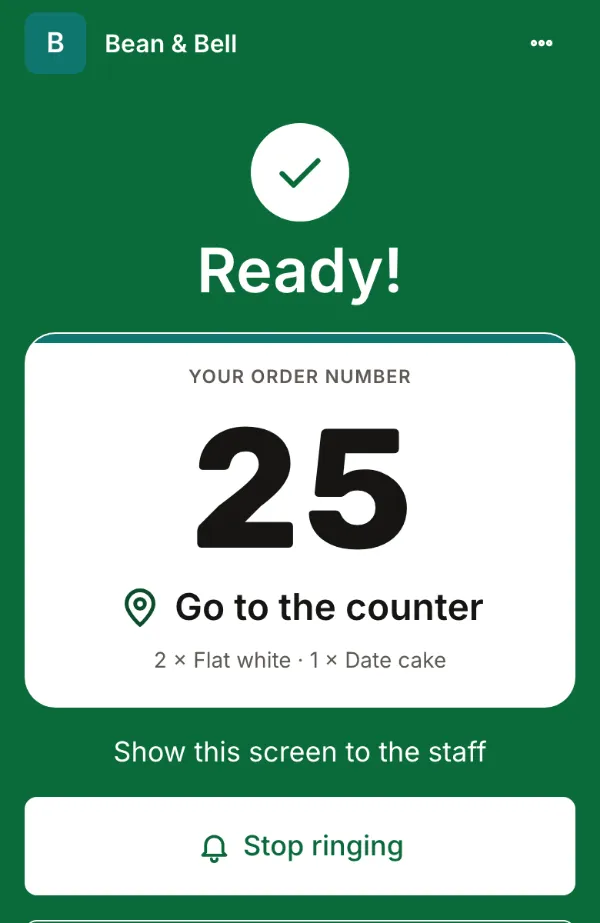
The page turns green and rings, and a WhatsApp or SMS arrives. The guest walks up and collects it.
Every screen
One tap at the till. Every screen follows.
The cashier, the guest, the kitchen and the TV all see the same order the moment it changes.
Cashier
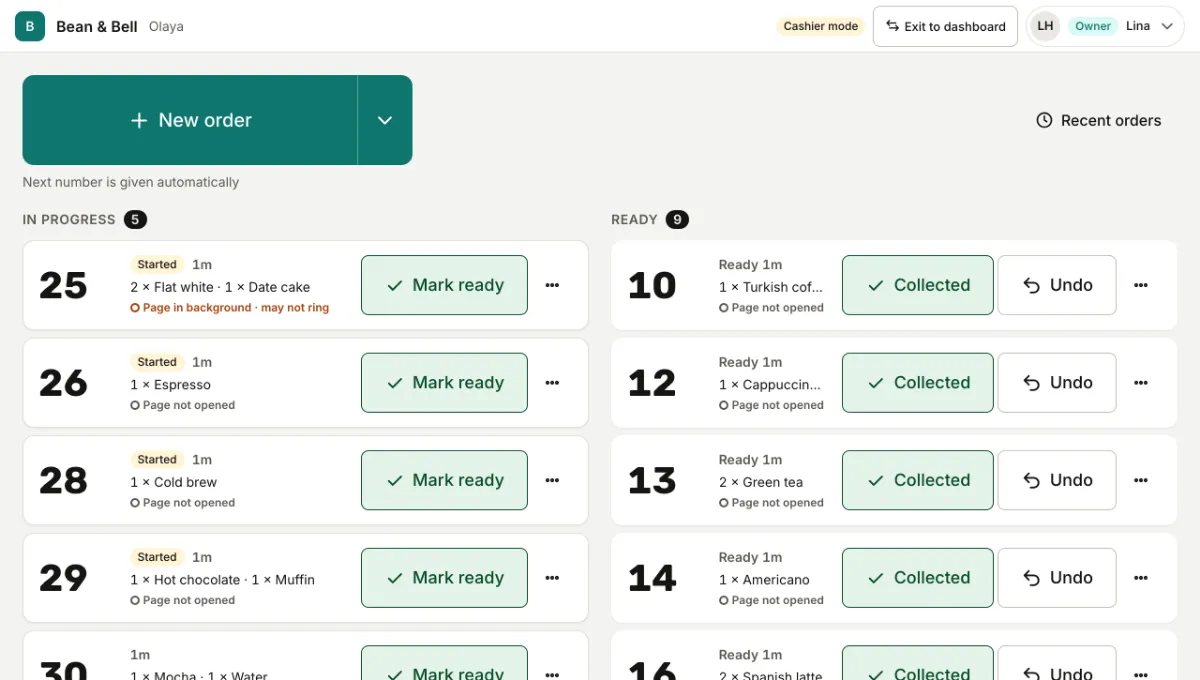
The cashier taps “New order”
One tap gives the next number, or type the number from your till. Square orders arrive by themselves.
Guest
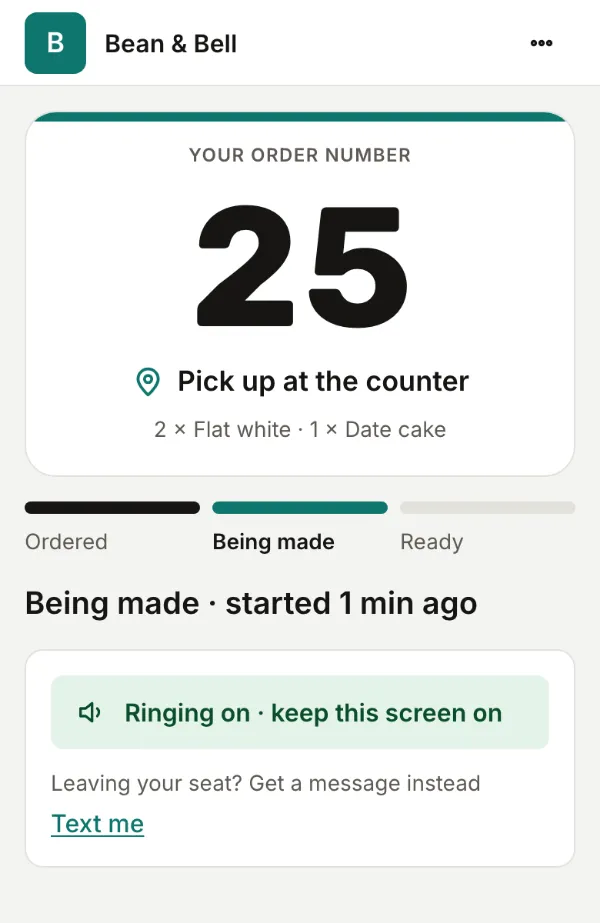
The guest scans and watches
A QR on the counter opens their order. They see it being made and how long is left. Nothing to download.
Alerts
Ring, buzz or WhatsApp
Guests who step out get a WhatsApp message. Numbers are deleted after pickup.
Qahwa House via Bellou
Order 25 is ready! Please pick it up at Counter 2.
قهوة المساء عبر Bellou
طلبك ٢٥ جاهز! تفضّل استلمه من الكاونتر ٢.
Qahwa House
Qahwa House: order 25 is ready. Please pick it up at Counter 2.
Phone and TV
Ready: their phone rings
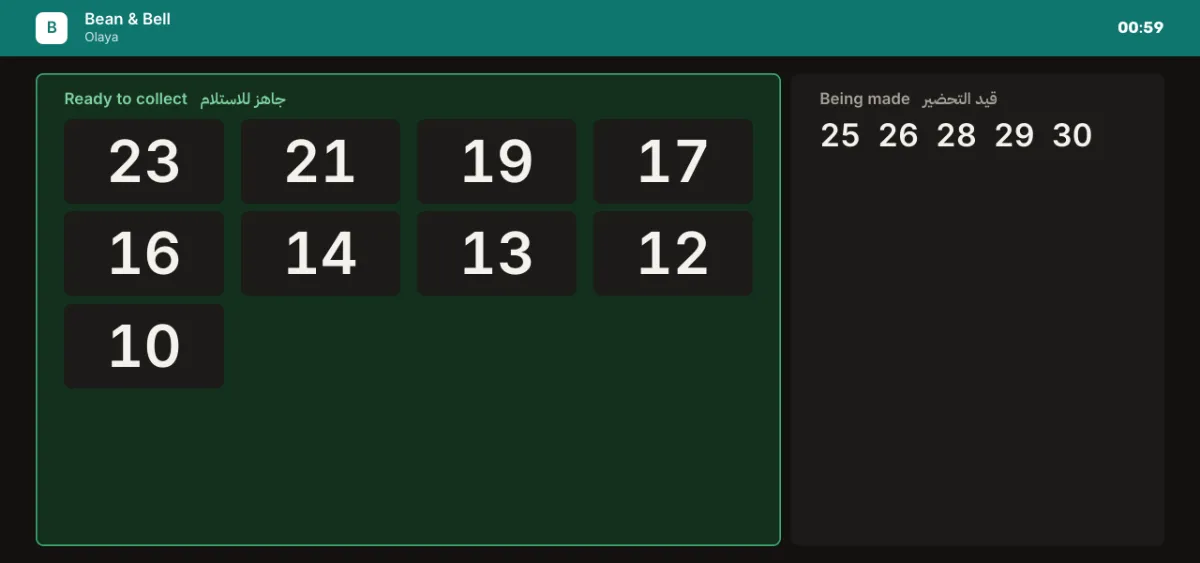
Tap “Mark ready” and the page rings, buzzes and turns green, or we send a WhatsApp message. The TV shows the number too.
Arabic first
Built in Arabic, not translated into it
Every screen is designed right to left from the start, for guests and for staff.
Everything a busy counter needs
Small things that make the wait easier
Live order page
Got it, making it, ready: with a wait estimate and how many are ahead.
Ring, buzz or WhatsApp
Guests who step out get a WhatsApp message. Numbers are deleted after pickup.
“Now serving” TV
Any TV with a browser shows ready numbers, paired with a short code.
Your brand, not ours
Your logo and any color you pick, on every screen. We keep the text readable for you.
Masbaha, games, your menu
Give the wait something to do: a masbaha, a kids game, your menu or an offer.
See your wait times
Prep time, pickup delay, busiest hours and ratings, per branch.
Plans
Every plan is billed by invoice. No card, and no payment on this site.
Unlimited pagers on every plan
The Demo too. Page every guest you serve, at the same time: no pagers to count, no fee per pager and nothing to buy.
- Book a demo
Demo
14 days · 150 orders
Try Bellou on one counter. Nothing to pay.
- Unlimited pagers
- One branch
- Up to 150 orders in all
- For 14 days
Includes
- Logo, color and step names
- Menu link
- Masbaha
- Ask for a quote
Branch
Talk to us
For one branch that wants WhatsApp, the TV board and reports.
- Unlimited pagers
- One branch
- Unlimited orders
- 100 WhatsApp messages a month included
Everything in Demo, plus:
- Hide “Powered by Bellou”
- Offer card
- Kids game
- TV board
- Analytics
- WhatsApp alerts
- Call to counter
- Ask for a quote
Business
Talk to us
For a few branches, with managers, SMS and Square.
- Unlimited pagers
- Up to 5 branches
- Unlimited orders
- 500 WhatsApp messages a month included
Everything in Branch, plus:
- SMS alerts
- Own WhatsApp number
- Branch managers
- Square integration
- Customer list
- Ask for a quote
Chain
Talk to us
For groups: your own WhatsApp number and white label.
- Unlimited pagers
- More than 5 branches
- Unlimited orders
- 2,000 WhatsApp messages a month included
Everything in Business, plus:
- White label
Paid plans are priced to how many branches you run. Tell us about your place and we’ll send a quote.
Compare every featureQuestions
No. The QR opens a web page. It works on any phone with a camera.
One tap sends them a WhatsApp message when the order is ready, and you can see on the tablet who will actually hear the alert.
Square orders arrive on their own. With any other till, the cashier taps “New order” or types the receipt number.
Nothing. Any tablet or phone for the cashier, a printed QR, and any TV with a browser if you want the board.
By invoice. Bellou sets your plan with you and sends an invoice. There’s no card payment on the site.
We use a number only for that one order and delete it within 24 hours of pickup. Bellou staff can’t read them.
See it on your own counter
Tell us about your place. We’ll set you up and show you around, usually within one working day.